Valorant Patch Notes 12.01 Released – RiftZone
Valorant patch notes 12.01 bring gameplay updates, balance changes, and fixes. Here is a clear breakdown of what players should know.
Table of Contents
You’ll notice Valorant’s latest patch leans hard into stability and fair play. Competitive queues tighten with mobile MFA and shared-account checks, especially in EU. Premier and the Esports Hub pick up roster and tag reliability fixes. Agents, weapons, maps, and replays get bug cleanups to restore visual and gameplay consistency. UI and observer tweaks land on PC and console, with a few quirks to watch. There’s also guidance if issues pop up—but here’s the twist you shouldn’t miss.
What’s New in Valorant Patch Notes 12.01
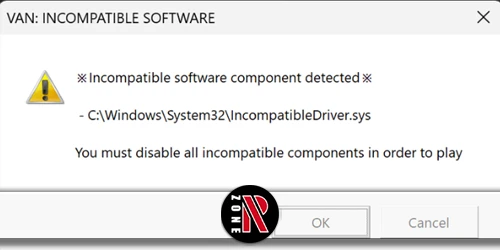
Although 12.01 isn’t a content drop, it’s a pivotal systems update: Riot made Riot Mobile MFA mandatory for EU Competitive (and for all Ascendant+ globally to queue Competitive), began blocking detected shared accounts in EU from Competitive until fixed, and restored the Esports Hub for VCT26 with team pages and tournament coverage.
In patch 12.01, you’ll secure your account with riot mobile multi-factor authentication to maintain competitive access, especially if you’re Ascendant+ or playing in the EU. Other modes stay open, but Competitive requires MFA, and shared accounts in EU lose queue privileges until you resolve ownership. You’ll also get a refreshed esports hub that spotlights VCT26, unifying team profiles, brackets, and schedules through Path to Champions and International League Kickoffs. Clear in-client messaging links to support articles that explain policy details and how to enable MFA.
Competitive Updates in Valorant Patch Notes 12.01
Building on the systems focus above, Patch 12.01 tightens Competitive integrity: you’ll need Riot Mobile MFA to queue if you’re Ascendant+ worldwide, and in the EU, accounts flagged for sharing can’t enter Competitive until ownership is resolved. You can still play other modes; these rules only gate the Competitive queue. Riot also added a limited Breeze RR reduction, cutting losses by 50% for two weeks as the reworked map returns.
Patch 12.01 boosts Competitive integrity with MFA, EU sharing locks, and temporary Breeze RR relief.
- Enable Riot Mobile MFA now if you’re Ascendant or higher to avoid lockouts.
- EU players: resolve account sharing flags promptly to regain Competitive access.
- Non-Competitive modes remain unaffected, so you can warm up freely.
- Expect links in the patch to MFA setup and policy details.
- Breeze RR reduction cushions early losses while you relearn routes.
Esports Features Added in Valorant Patch Notes 12.01
While Competitive got stricter, Patch 12.01 also brings esports front and center with the Esports Hub returning to cover VCT26. You can jump in and follow every stage, from early qualifiers to the International League Kickoffs, all within one place. Patch 12.01 reinstates the Hub to highlight the Path to Champions, letting you track brackets, schedules, and storylines without tab-hopping.
Open the Esports Hub to browse team profiles, compare rosters, and monitor form before key matches. You’ll get centralized tournament information that updates as VCT26 progresses, so you won’t miss a pivotal map or standings shift. It’s built to keep you connected to team journeys and tournament progression, making it easier to plan viewing and share match links with friends.
Gameplay Fixes in Valorant Patch Notes 12.01
Now you’ll want to scan the gameplay fixes: general bug fixes that smooth out reliability, targeted agent bug fixes, and any weapon quirks corrected. You’ll see issues like ability VFX, minimap icons, and interaction inconsistencies addressed. Let’s break down what changed so you can adjust your play with confidence.
General Bug Fixes
Kicking off 12.01’s gameplay cleanup, we’ve fixed several clarity and targeting issues that could throw you off mid-round. You’ll notice smoother feedback for ability icons, better alignment on the minimap, and more reliable targeting across a few edge cases. These aren’t agent reworks—just the fundamentals working like they should so you can trust what you see and shoot.
- Ability icons now refresh correctly when the same debuff re-applies, preventing stale HUD info.
- Harbor’s Reckoning range indicator matches the real cast radius, so placement lines up with impact.
- Harbor Cove correctly shows its ability icon on the minimap once placed.
- Fade’s Prowler VFX returns in Left Handed Mode, restoring consistent visuals.
- Gekko’s Dizzy aim bug is fixed, removing rare mis-aim and phantom misses.
Agent Bug Fixes
Although 12.01 isn’t about flashy reworks, it tightens core agent reliability so your abilities behave exactly as expected. You’ll notice cleaner ability behavior across common agent gameplay bugs: Kos Mosh Pit, Iso’s Undercut, Jett’s Cloudburst, KAY/O’s FRAG/MENT, Phoenix’s Hot Hands, Reyna’s Leer, and Viper’s Poison Cloud now resolve as intended. Astra’s Nebula from Dissipate finally shows a minimap icon for teammates. Gekko’s Wingman stops chasing after target teleports, and Dizzy no longer mis-aims. Breach’s Rolling Thunder applies consistent launch across elevation. Deadlock’s Annihilation won’t phase through Breeze or pin you against map geometry.
| Change | Impact |
|---|---|
| Ability bug fixes | Restored predictability |
| Nebula minimap icon | Better team coordination |
| Wingman chase stop | Fair post-teleport states |
| Dizzy aim correction | Reliable target selection |
| Geometry clipping fix | Reduced unintended traps |
Weapon Bug Fixes
Even small visual and audio quirks can tilt a fight, so 12.01 cleans up weapon-side inconsistencies to keep engagements fair and readable. You’ll notice weapon changes arrive with clear fixes that remove guesswork around impact visuals, penetration behavior, and post-match equipment states.
- Fixed a bug where bullet tracers vanished after shots passed through walls on PC, restoring reliable feedback for you and spectators.
- Tightened wall penetration logic so unintended surfaces no longer grant high-pen angles from niche spots.
- Standardized Corrode’s A/B wall materials to stop unpredictable penetration interactions after map edits.
- Corrected Ascent’s glass-breaking audio triggering out of bounds, aligning sound with real weapon impacts.
- Resolved cases where loadouts reset to default after matches, preserving your chosen buys and attachments between rounds.
PC-Specific Updates in Valorant Patch Notes 12.01
You’ll notice key Client Updates on PC, including the refreshed Home, Lobby/Queue Select, and Social Panel that carry into Season 2026. You can still opt in to record Replays for Custom, Swiftplay, and Standard, and recent fixes address bullet tracers, observer cooldown bars, and throw animation glitches. For Premier Updates, your team tags now display correctly in custom lobbies, and MFA requirements affect Competitive access for certain accounts.
Client Updates
Kicking off the PC client tweaks in 12.01, Riot pushes the ongoing UI refresh across the Home, Lobby, and Social panels, sharpening top navigation and smoothing friend-request handling. You’ll notice a PC UI refresh that clarifies where to click and what’s queued, plus cleaner notifications in the Social panel. Lobby updates make queues stand out with new art and short mode descriptions. An Observer UI fix restores cooldown bars when you swap agents, improving spectating. Custom Lobby UI now moves Mode and Map select left, using clearer selection screens.
- Faster top navigation with cleaner icons
- Easier friend requests and invites
- Prominent queue selection with art and blurbs
- Observer cooldown bars back for clarity
- Custom Lobby UI: left-side Mode/Map pick, improved descriptions
Premier Updates
Swinging back into focus, Premier on PC gets practical fixes and clearer esports ties in 12.01. You’ll notice the Esports Hub returns for VCT26 with team profiles and centralized coverage through the International League Kickoffs, tying your Premier journey to top-tier play. On the competitive side, Premier features and team placement notes for V26A1 (starting January 14) arrive alongside UI updates.
Riot also fixed a persistent issue where Premier team tags sometimes failed to appear in custom lobbies and other social modals. Now, tags and related metadata show reliably, so your squad identity travels with you. Premier matchmaking and admin tools received quality-of-life tweaks to keep tag visibility and roster info consistent. These improvements are explicitly PC-focused, with several Premier bug fixes flagged as PC-only in this patch.
Console Bug Fixes in Valorant Patch Notes 12.01
Although 12.01 isn’t a content drop, it quietly cleans up key console pain points: observers now see agent ability cooldown bars correctly when swapping POVs, throw animation glitches when aiming straight down are fixed for smoother agent consistency, and several agent VFX/animation issues (notably Phoenix, Yoru, and Viper) no longer break observer playback. You’ll feel these console bug fixes immediately in scrims, customs, and broadcasts.
- Observer cooldown bars render reliably when you swap players mid-round.
- Throw animation issues are corrected, so lineups look and land as practiced.
- Agent VFX animation fixes stabilize Phoenix, Yoru, and Viper for replays.
- Console social/party fixes improve whispers, invites, and lobby handoffs.
- Premier and custom-lobby UI polish resolves tag display and localization overruns.
Jump back in and test your lineups—your inputs should now match the visuals.
Known Issues in Valorant Patch Notes 12.01
While 12.01 tightened up several console glitches, a handful of known issues remain on Riot’s radar. If you queue Competitive in EU, region-specific mobile multi-factor is now enforced, and you may hit a known issue during MFA rollout or shared-account detection—reverify or relog if prompts loop. Observers cooldowns may display incorrectly after swapping agents; a client fix is slated, but toggling observer targets can refresh bars.
You might see social panel whispering fail intermittently. Workarounds: message through the Riot Client, re-add the friend, or form a party. Replays UI issues persist from the Season 2026 updates: certain agent VFX or minimap icons (like Fade Prowler or Astra) may not render in specific moments. Lastly, rare barrier/mesh invisibility and Harbor Reckoning indicator misalignment remain tracked.
Frequently Asked Questions
What Are the New Changes in Valorant?
You’re getting a Breeze rework in Comp/DM, Sunset removed, weapon/material penetration fixes, reduced Breeze RR penalties, Breach/Harbor buffs, many agent bug fixes, new Bandit sidearm, Ayakashi skins, Replays, VP gifting, revamped UI, AR One Site mode, Riot Mobile MFA, Esports Hub.
Is the Valorant 11.02 Update Out?
Yes, it’s out. You can download Valorant v11.02 now. You’ll see the Unreal Engine 5 upgrade, which improves performance and stability. Check the patch notes and your client for any hotfixes, regional rollout timing, and known issues.
Is Valorant Still Popular in 2025?
Yes, it is. You still see steady major patches, new modes, and balance updates throughout 2025, strong VCT events, and Riot planning the Esports Hub’s return for VCT26—clear signs you’re playing a thriving, highly popular game.
Is Valorant Patch 11.06 Out?
Yes, it’s out—but it’s not current. You’re looking at a historic patch; later updates reached 11.11 and then Season 2026’s 12.00 and 12.01. Check official notes for 11.06 replays and subsequent changes.
Conclusion
You’re walking away from Patch 12.01 with a smoother, fairer Valorant. Competitive queues tighten security with mobile MFA and shared-account checks, while Premier and the Esports Hub get reliable rosters and tags. You’ll notice cleaner visuals and steadier gameplay thanks to agent, weapon, map, and replay fixes. PC and console both benefit from UI and observer tweaks. If something’s off, try relogging, toggling observer targets, or re-enabling MFA. Jump back in—your matches should feel more consistent and competitive.