Marteen Valorant Settings: Sens, DPI & Crosshair – RiftZone
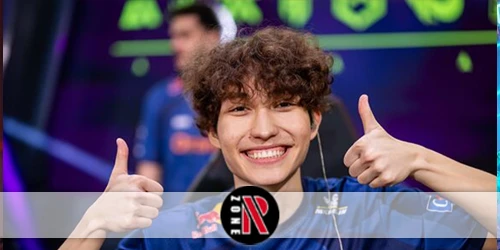
Marteen Valorant settings guide with sensitivity, DPI, eDPI, scoped sens, and crosshair tips to match his precise duelist aim.
Table of Contents
If you’re trying to match marteen’s Valorant feel, you start with what actually shapes consistency: his eDPI and how his scoped sensitivity tracks with it. You’ll see 800 DPI at 0.39 in-game (312 eDPI) come up most, plus a higher ADS multiplier to keep snappier control. But his setup isn’t just aim numbers—his crosshair, stretched res, and peripherals matter, and one detail changes how it all clicks…
Who is marteen in Valorant?
If you’ve watched the VCT EMEA scene closely, you’ve likely seen Martin “marteen” Pátek—an elite Czech Valorant pro and Karmine Corp duelist—stand out with pinpoint aim and high-end mechanics that took him from underdog to champion. You know him as a fearless entry who turns tight angles into openings and converts micro-windows into round wins.
You’ve also seen the results: he helped Karmine Corp claim 1st at VCT EMEA 2024 Kickoff and stack regional trophies like Grunex Challenge and Comic-Con Prague 2022. In 2026, you could’t miss his 126-kill international series record at VCT EMEA Kickoff. When you search karmine corp marteen settings or marteen valorant settings, you’re chasing the blueprint behind that consistency.
Marteen Sensitivity & DPI
To mirror marteen’s aim, you’ll want to start with his DPI and in-game sensitivity—commonly 800 DPI at 0.39, which lands at 312 eDPI. Keep your eDPI consistent if you change DPI (like 800 to 1600) by adjusting sensitivity so your muscle memory doesn’t shift. You’ll also need to match his scoped sensitivity at 1.587 to keep ADS shots feeling the same.
DPI
Dial in Marteen’s mouse control by starting with his most cited baseline: 800 DPI paired with 0.39 in-game sensitivity for a 312 eDPI. That combo is the safest reference point for marteen dpi because it matches most clips and tracker summaries, and it keeps your hand movements controlled for crisp micro-adjustments. If you’re comparing sources, expect small swings (like 800 DPI with 0.43) depending on the profile captured, so treat any single listing as a snapshot. You’ll also see debated reports of 1600 DPI with a very low multiplier (0.06), which lands at a 96 marteen edpi and feels dramatically slower. For scoped aim, keep his reported zoom multiplier at 1.587 for consistency across optics.
In-Game Sensitivity
Marteen’s DPI baseline only makes sense once you pair it with his in-game sensitivity, because that combo determines how far your crosshair moves per hand motion. The most cited marteen sensitivity is 0.39 at 800 DPI, a low, controlled feel built for clean micro-adjustments, steady tracking, and confident flicks on duelists. Some community clips also claim 0.06 at 1600 DPI, and you’ll even see debate about whether it was 0.06 or 0.16, so treat that as unverified. Older trackers list nearby values like 0.43 or odd CPI readings, which suggests he’s tested variations. For zoomed fights, marteen scoped sensitivity sits at 1.587, kept higher so scoped aim doesn’t feel sluggish.
eDPI
Because eDPI combines your mouse DPI and in-game sensitivity into one number, it’s the quickest way to match marteen’s overall aim speed across different setups. To copy his feel, you’ll want the widely listed combo: 800 DPI and 0.39 sens, which equals 312 eDPI (800×0.39). That low-to-mid eDPI supports controlled micro-corrections and clean flicks that pair well with tight marteen crosshair discipline.
You might see claims that he used 1600 DPI with 0.06 sens (96 eDPI), but most pro-settings pages and profiles keep pointing back to 312 as the reliable value. If you adjust DPI, compensate your sens to keep eDPI steady so your marteen mouse settings don’t suddenly feel too fast or sluggish.
Scoped Sensitivity
Lock in your zoomed aim by matching marteen’s reported scoped sensitivity of 1.587, which controls how your crosshair moves while ADS/scoped relative to your base sens. Pair it with his common base setup (800 DPI, 0.39 sens, eDPI 312) so Operator and Marshal micro-corrections feel stable without dragging. If you’re testing the stream-circulated low eDPI variant (1600 DPI × 0.06 = 96), keep 1.587 the same and judge whether scoped swipes still land on heads; some clips debate 0.16 vs 0.06, so trust your results. When you import a marteen config valorant, verify scope sens didn’t reset. Then fine-tune around his marteen crosshair code for consistent sight picture.
Marteen Crosshair Settings
You can start by grabbing marteen’s crosshair code, then paste it in Valorant to match his exact look fast. After that, you’ll break the crosshair down—pure white (#FFFFFF), outlines on at 0.5 opacity, inner lines at 0.8 opacity with length -6, and outer lines shown at 0.35 opacity. You’ll also want to verify any center dot and movement/firing error options since some values aren’t fully specified.
Crosshair Code
How do you get Marteen’s crisp, distraction-free aim reference in Valorant? You simply import his crosshair code, then keep your view clean with marteen minimap settings and marteen video settings so the reticle stays readable in every fight. His color is pure white (#FFFFFF) for maximum visibility, with outline opacity at 0.5 to separate it from bright walls. Inner lines sit at 0.8 opacity with a length of 6, giving you a short, decisive reference for taps and flicks. Outer lines stay subtle at 0.35 opacity, reducing clutter while preserving quick alignment cues. Paste the shared string (for example, “0;p;0;s;1;…;S;c;3;s;0.9;o;1”) in Crosshair Import to match his setup.
Crosshair Breakdown
Why does marteen’s crosshair look so crisp in every duel? You get that snap-to-head feel from a clean, high-contrast design. Set the color to pure white (#FFFFFF) so it pops on nearly every map surface. Turn outlines on and keep Outline Opacity at 0.5; you’ll add just enough edge contrast without making the reticle bulky. For the core, run Inner Line Opacity at 0.8 and Inner Line Length at 6, giving you a clear center reference for taps and short bursts. Add subtle guidance by lowering Outer Line Opacity to 0.35, so longer lines don’t distract. Some dot, thickness, offset, and error values aren’t confirmed, so tweak manually to match marteen settings february 2026.
Marteen Video Settings
Although his aim settings get most of the attention, marteen’s video setup leans into a competitive, clarity-first look—most conspicuously a reported 1280×960 stretched resolution (4:3 stretched) that many community profiles list from pro play. If you copy it, you’ll get wider player models and a simpler, focus-on-fights presentation. Community research also notes that pro rules typically restrict exotic custom resolutions, which makes 1280×960 a realistic tournament-friendly pick versus 1440×1080. To verify what you should run, cross-check recent VODs, Twitch clips, and tracker galleries, since overlays and patches can shift what’s shown.
- Use 1280×960 (4:3 stretched) for a stretched feel
- Prioritize clarity over eye candy
- Stick to tournament-plausible options
- Confirm via recent clips and settings lists
Marteen Mouse & Key Settings
Lock in your peripherals first, because marteen’s mouse-and-key setup centers on speed, control, and tournament-ready reliability. He pairs a Logitech G Pro X Superlight 2c (51g) with a Wooting 60HE+ 60% keyboard, keeping your desk space clean for wide, controlled swipes. For aim, you’ll usually see 800 DPI and 0.39 in-game sensitivity (eDPI 312) to support precise duelist flicks and steady tracking. Some community clips show him on 1600 DPI with a much lower sens (often reported 0.06, sometimes debated as 0.16), so double-check sources before you copy it. Set scoped sensitivity to 1.587, and expect ADS values to vary depending on what you find.
Frequently Asked Questions
What Mousepad Does Marteen Use for Consistent Low-Sensitivity Aiming?
You can’t reliably confirm what mousepad marteen uses, because he hasn’t consistently disclosed it in official sources. If you want consistent low-sens control, you should choose a large control pad and keep it clean.
Does Marteen Use Raw Input Buffer, and Why?
Yes, you’ll typically enable Raw Input Buffer if you want marteen’s style, because it reduces OS/mouse driver interference and stabilizes polling under load. You get cleaner, more consistent aiming, especially with low sensitivity and flicks.
What Resolution and Aspect Ratio Does Marteen Prefer in Matches?
You’ll usually see him play 1920×1080 on a 16:9 aspect ratio in matches. You keep that setup because it’s standard, clear, and consistent, so you don’t sacrifice visibility or muscle memory.
What Agents Does Marteen Main, and How Do His Settings Support Them?
You’ll most often see marteen on duelist picks like Jett and Raze. You benefit from his low eDPI (312) for steady tracking and crisp flicks, while 1.587 scope sensitivity keeps Operator shots controlled.
How Often Does Marteen Change His Settings for Different Tournaments?
You shouldn’t expect him to change settings often between tournaments; he usually sticks with what’s ingrained. If he tweaks anything, you’ll see minor sensitivity or crosshair adjustments, not a full overhaul.
Conclusion
If you want marteen’s Valorant feel, you’ll focus on steady aim and clean visibility. You’ll run 800 DPI with 0.39 sensitivity (312 eDPI) and keep scoped sens around 1.587 so ADS stays snappy. You’ll use a bright white crosshair with an outline to track heads fast. You’ll try 1280×960 stretched for bigger targets. Pair it with a light Superlight and a responsive keyboard, then stick with it.
Before you leave, check our latest Valorant redeem codes for more free rewards.