Best Valorant Crosshair Codes (Pro & Beginner Guide) – RiftZone
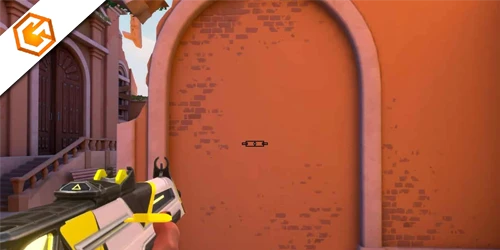
Best Valorant crosshair codes used by pros and streamers in 2026. Copy and import crosshair settings easily and find the perfect aim setup.
Table of Contents
If you want a crosshair that boosts confidence instead of chaos, you’ll need a setup that’s simple, consistent, and easy to track under pressure. You’ll learn which pro codes to copy, how streamers tune theirs, and the fastest way to import and test presets. You’ll also see when a tiny dot beats a classic reticle—and when it doesn’t. By the end, your flicks and taps will feel deliberate—but first, let’s fix the basics.
Best Valorant Crosshair Codes Used by Pros (2026)
You want fast, proven options, so we’ll start with EMEA pro player crosshair codes that favor compact, static setups and high-contrast colors. Next, you’ll see China pro player codes that lean precise and minimal, with custom color hex values you can import instantly. Then, you’ll compare NA and international favorites—small statics and dots—so you can copy a code, test it in the range, and lock the one that boosts your consistency.
EMEA Pro Player Crosshair Codes
While styles vary across rosters, EMEA pros converge on compact, static crosshairs with high-contrast colors and minimal gaps for predictable aim. You’ll see this emea pro crosshair approach in ScreaM and Jamppi’s shared valorant crosshair: 0;s;1;P;c;5;o;1;d;1;z;3;f;0;0t;6;0l;0;0a;1;0f;0;1b;0;S;c;6;s;0.949;o;1. Derke’s bright orange setup keeps lines minimal for focus: 0;s;1;P;u;FFA500FF;o;1;d;1;f;0;s;0;0b;0;1t;0;1l;1;1o;0;1a;1;1m;0;1f;0;S;o;1. For visibility on any map, Boaster favors vivid pink with outlines: 0;s;1;P;c;5;u;FF2B52FF;o;1;d;1;z;4;f;0;...;S;c;1;o;1. Prefer a small dot crosshair valorant style? Nivera trims outer lines: 0;1l;0;1o;0;1a;0;S;c;1;o;0.5. Disable movement and firing error (f;0, t minimal). Use valorant crosshair import to test these valorant pro crosshair codes.
China Pro Player Crosshair Codes
Across China’s top rosters, pros lock in compact, static crosshairs that prioritize clarity and repeatable aim—short lines (length 2–4), tight gaps, and no movement error. You’ll see a consistent china pro crosshair template: thin lines, no dynamic sway (f=0), and either a tiny dot or none. CHICHOO and Haodong lean minimalist (length 2, outline 2), while Life bumps length to 4 for a touch more visibility. ZmjjKK and MrFaliN showcase custom colors—think purple A020F0FF or c=7 with u toggled—so your sight pops on every map.
To try these pro valorant crosshair settings, paste each valorant crosshair copy code into Settings → Crosshair Profile → Import. Test and tweak color, length 2–4, and small gaps to lock your best valorant crosshair. Grab curated valorant crosshair codes below.
NA & International Pro Crosshair Codes
Pros also exploit Episode 5’s hex colors: Kyedae FFFFCCFF, MrFaliN A020F0FF, Boaster FF2B52FF. EMEA aimers like ScreaM and Jamppi favor compact, high-contrast looks; some China-region players go thicker with small gaps. To test the best valorant crosshair 2026, head to Settings → Crosshair, paste a code, then adapt line thickness, gap, and color for your valorant beginner crosshair.
Best Valorant Crosshairs Used by Streamers
You’ll see streamers switch between small dot crosshair codes for crisp headshot focus, classic static codes for consistent tracking, and dynamic or fun codes for style on casual streams. You can copy their exact looks with importable codes and test them in the range to feel the difference fast. Start with a static option, then try a dot and a playful variant to find what boosts your accuracy and comfort.
Small Dot Crosshair Codes
Dial in a small dot crosshair to cut visual noise and lock your aim on heads—the exact reason many streamers and pros swear by it. You’ll see their shared codes lean on a clean, static dot: center dot on (0a;1), minimal lines (0l;3 or 0l;4), and outlines off or subtle (0o;0 or 0o;2) depending on contrast needs.
Keep the dot steady by disabling movement and firing error (f;0 and d;1 or equivalent 0t/1t toggles) plus static firing options (0f;0/1f;0). For visibility, pick high‑contrast custom colors added in Episode 5 Act 2—popular choices include black or purple (u;000000FF, u;A020F0FF).
Want a pro setup fast? Copy a streamer’s code (e.g., mazin, qck, mwzera) and import via Settings → Crosshair Profile → Import. Manage limited profile slots wisely.
Classic Static Crosshair Codes
Coming from small dot setups, classic static crosshairs offer the same clarity with a bit more framing—perfect for consistent sprays and taps. Streamers love them because they’re stable: movement error off, short lines, minimal thickness, and a tight center. You’ll get a clean focal point without extra noise.
Start with line length 0–4, thickness 0–1, and center gap 0. Enable outlines lightly if you want edge definition. For visibility, pick high-contrast custom colors (Episode 5 Act 2), like FF2B52FF or A020F0FF, so the crosshair pops across maps.
Want streamer-style profiles? Jamppi and ScreaM favor static setups (S;c;6), prioritizing reliability over flair. Try dot-like static codes such as 0;P;o;1;0t;1;0l;0;0a;1. To copy exact streamer presets, go Settings → Crosshair → Import and paste codes from databases (qck, mazin, Demon1).
Dynamic & Fun Crosshair Codes
While most pros stick to static setups, dynamic and fun crosshair codes let you experiment with flair without losing focus. Streamers share importable codes—think Jamppi or ScreaM—so you can copy their exact look. Hit “copy crosshair code,” paste it into Valorant’s Crosshair Import, and test instantly in the range.
Want movement? Toggle movement error on for a reactive feel, but keep lines short and the center gap tight so recoil cues don’t overwhelm your view. Prefer vivid flair? Use Episode 5 Act 2 custom colors like bright green or orange for maximum contrast across maps and skins.
Browse mobile-friendly crosshair databases to preview styles—dot-only or short, even lines—on varied backgrounds. Iterate until your dynamic choice aids tracking without distracting your aim.
How to Copy & Import a Valorant Crosshair Code
Before you jump into tweaking every slider, quickly import a proven setup with a crosshair code. In Valorant, crosshair codes are text strings (for example, 0;s;1;P;c;5;u;FF2B52FF;...) that recreate exact settings—color (including hex), outline, length, dot, and more.
Skip the sliders—import a proven Valorant crosshair code for instant, exact settings.
Here’s how to import:
- Open Settings > Crosshair.
- Click the profile arrow in the top row.
- Paste the full code into the Import field.
- Press Import to create the profile.
Valorant limits saved profiles, so pick an empty slot or overwrite one you don’t need. If a code uses a custom hex color (added in Episode 5 Act 2), your crosshair will match it precisely. After importing, confirm Movement Error and Firing Error (pros often disable both), then rename the profile or move it to your preferred slot.
How to Pick the Best Crosshair in Valorant
You’ll pick the best crosshair by matching it to your experience, ranked goals, sensitivity, and visibility needs. Start simple for beginners, tune precision for low sens, and lock a consistent static setup for ranked. Then choose high-contrast colors (green or cyan) that stay visible on every map.
Best Crosshair for Beginners
Dialing in a beginner-friendly Valorant crosshair starts with simplicity: use a static reticle, turn off movement and firing error, and pick a bright, high-contrast color like cyan or neon yellow so it stays visible on every map. This keeps your view stable and helps you build consistent aim.
Set thin inner lines with length 2–4 and thickness 0–1. Keep the center gap at 0–2 so you can place the reticle on heads without covering them. Add a slight outline (1) with near-max opacity (~1) to keep the crosshair readable on busy textures and bright skins.
Use even values for inner/outer lines for symmetry. Save multiple profiles—one for practice, one for matches—and test them in the preview, then deathmatch for at least an hour. Adopt what feels most accurate and confident.
Best Crosshair for Ranked Play
When ranked pressure ramps up, lock in a crosshair that’s visible, stable, and repeatable. Pick a high-contrast color like green or cyan so it pops against maps and agent utility. Keep it static—turn movement error and firing error off—to preserve a consistent sight picture during duels.
Build for precision first: try line length 4, thickness 1–2, and a small to medium gap (around 2–4). Favor even values so each side mirrors perfectly, reinforcing muscle memory. If you like ultra-clean visuals, consider a simple dot or minimal short lines for crisp headshot alignment at close to mid ranges.
Test in the Range, adjust scale until your flicks land naturally, then save profiles: smaller/clean for Duelists, slightly larger for Controllers or support roles.
Best Crosshair for Low Sens Players
Although low sensitivity lets you aim with control, it demands a crosshair that stays razor-clear and steady. Run a small, static profile: line length 1–3, thickness 0–1, and a small-to-medium center gap (about 0–4). This keeps the view uncluttered and precise at long range while giving you a reliable reference for flicks.
Turn off movement and firing error so the crosshair never expands or shifts; use even values to keep scaling consistent. For style, pick a slim traditional cross or a clean dot (no outlines). Both suit larger arm swings and fine wrist corrections without masking heads.
Select a high-contrast color and enable custom color so it stands out on every map. Test in the Range, then iterate until tracking feels automatic.
Best Crosshair Colors for Visibility
So which colors keep your crosshair sharp on every map? Pick high-contrast shades that pop against Valorant’s varied backdrops. Bright green, cyan, and neon yellow (try hex F0FF00 or 00FFAA) stay visible over sky, foliage, interiors, and noisy particle effects. Set a custom color with full opacity (alpha FF) so smokes, flashes, and bright lights don’t wash it out.
Avoid hues that mimic common ability effects—reds/oranges near fire and blues near Recon/ice—so your crosshair never disappears mid-fight. Many pros default to green or white for consistent visibility.
Test your color in the preview across multiple backgrounds and while strafing and spraying. Stick to solid, even-value RGB/HSL colors—no gradients or semi-transparency—to keep edges crisp and the render centered for reliable precision.
Small Dot vs Classic Crosshair – Which Is Better?
Curious which crosshair helps you hit more heads—small dot or classic? If you love precision and long‑range taps, go small dot. A single pixel or 0–1 dot size strips visual clutter and lets you snap to heads fast. Pair it with a high‑contrast color like neon green or cyan to avoid losing it on bright walls.
If you’re learning recoil and tracking, go classic. Short lines (length 2–4) with a tight gap (0–2) give peripheral feedback for centering and spray control. Keep movement and firing error off, and use a subtle outline.
Not sure? Try a hybrid: a tiny center dot plus short outer lines (even values). Hop into the Range, tweak scale and sensitivity, and stick with what boosts confidence and accuracy.
Frequently Asked Questions
Do Different Monitors or Resolutions Affect Perceived Crosshair Size and Clarity?
Yes. Monitor size, resolution, aspect ratio, and scaling change how large and crisp your crosshair appears. You should test at native resolution, disable GPU scaling if needed, match aspect ratios, and adjust crosshair thickness, gap, and outlines accordingly.
Which Crosshair Colors Are Most Visible for Colorblind Players?
Green and cyan usually pop most; they contrast maps and UI well. If you’re colorblind, avoid reds. Test cyan with a black outline, or yellow with outlines. Use Valorant’s colorblind modes, then fine-tune brightness and thickness.
How Do Crosshair Settings Interact With NVIDIA Reflex or AMD Anti-Lag?
They don’t directly interact; crosshair settings are visual, while Reflex/Anti-Lag reduce input latency. You should keep a stable, static crosshair to capitalize on lower delay, then tune sensitivity and color for fast target acquisition and consistent flicks.
Should I Change Crosshair per Agent Role or Stick to One?
Stick to one crosshair for consistent muscle memory. You can slightly tweak color or thickness for visibility on specific maps, but don’t overhaul per agent. Test in the range, confirm comfort under pressure, and prioritize clarity, stability, and confidence.
What Crosshair Settings Help With High Ping or Packet Loss?
Use a small, static crosshair with no movement error, thin lines, and a tiny center gap. Pick a high-contrast color, enable a subtle outline, add a faint center dot, and avoid changing sizes. Prioritize clarity over flair.
Conclusion
You’ve got everything you need to lock in a clean, reliable crosshair that fits your aim. Import a few pro and streamer codes, then tweak: keep it compact, static, and high-contrast with short lines, thin thickness, and a tight gap. Turn movement and firing error off, test in the Range, and save separate practice and match profiles. Iterate until flicks and taps feel automatic. Whether you prefer a small dot or classic, commit, trust it, and grind.