Nintendo Switch 2 Receives First System Update in 2026 – RiftZone
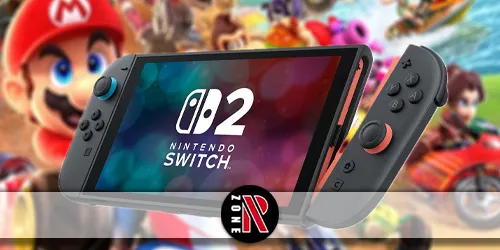
Nintendo rolls out the first system update of 2026 for Switch and Switch 2, introducing stability improvements and early platform changes.
Table of Contents
You’re getting Nintendo’s first Switch 2 system update of 2026 today, and it’s more than boilerplate. Version 21.2.0 targets smoother cross‑gen compatibility, fewer crashes and transfer errors, and tighter controller, audio, and battery behavior. It’ll install in standby or via System Settings, but you’ll want to know what’s actually changed—and what it hints about Nintendo’s priorities for the year. Here’s what matters now and what could come next.
Nintendo Switch 2 System Update 21.2.0 Overview
Kicking off 2026 updates, Nintendo rolled out system version 21.2.0 on January 12 for both the original Switch and Switch 2, framing it as “general system stability improvements.” The build is platform-wide, not Switch 2–exclusive, and should auto-download in standby if you’re online; you can also grab it via HOME Menu > System Settings > System > System Update.
You’re getting a straightforward nintendo switch 2 system update focused on reliability. Nintendo’s kept details light, continuing its recent habit of high-level notes for the 21.x line. If the nintendo switch 21.2.0 download stalls or errors out, hold POWER for three seconds, tap Power Options, select Restart, then try System Update again. Expect smoother system behavior and groundwork for ongoing online features without any visible UI changes or Switch 2–exclusive perks.
Full Patch Notes for Nintendo Switch 2 Update 21.2.0
Although Nintendo labels it simply as “general system stability improvements,” version 21.2.0 landed on January 12, 2026 for both Switch 2 and the original Switch, with no detailed changelog beyond that note. So the full switch 2 patch notes are brief: nintendo switch 2 update 21.2.0 improves overall stability. That’s it.
You’ll get it automatically if your console’s in standby and online. Prefer manual control? Go to HOME Menu > System Settings > System > System Update and install it on demand. Nintendo’s continuing its pattern from 21.1.0 and 21.0.1 of keeping small updates light on specifics, reserving named features for milestone releases like 21.0.0. If you’re looking for exhaustive fixes, you won’t find them here—just a quieter, more reliable system across Switch and Switch 2.
What’s New in the January 2026 System Update
Rolling out quietly on January 12, 2026, version 21.2.0 brings Nintendo’s familiar “general system stability improvements” to both Switch and Switch 2, auto-installing in standby or available manually via HOME Menu > System Settings > System > System Update. You won’t see flashy features, but you should notice steadier performance, smoother online sessions, and snappier input handling. Nintendo didn’t publish a detailed changelog, so the nintendo switch january 2026 update reads light, yet it builds on the 21.0.x groundwork for HOME Menu, GameChat, accessibility, audio, and virtual game cards. The nintendo switch 2 firmware update also targets better battery behavior and prepares systems for first-half 2026 releases and anniversary events, helping ensure big third-party titles land without hiccups.
Nintendo Switch and Switch 2 Compatibility Improvements
Stepping up cross‑generation play, Nintendo’s 21.2.0 update tightens compatibility between the original Switch and Switch 2, smoothing how legacy titles run on the newer hardware while keeping updates seamless on both.
You’ll see more first‑ and third‑party games patched to leverage Switch 2’s performance without breaking saves or features on the original system. Nintendo pushed these tweaks with the January 12 rollout, framing them as “general system stability improvements,” but you’ll notice faster load times, steadier frame rates, and cleaner handoffs when moving between consoles. Backward‑compatible libraries keep growing, too—last week’s Nintendo Classics — GameCube addition of Fire Emblem: Path of Radiance underscores the trend. Install the update automatically in standby or manually via System Settings. For nintendo switch 2 news followers, this compatibility focus signals steady, player‑friendly progress.
Related Nintendo Switch 2 Updates and Recent Changes
Frequently, Nintendo ties small but meaningful tweaks to broader platform momentum, and version 21.2.0 fits that pattern. You saw it land on both Switch and Switch 2 on January 12, 2026, labeled as “general system stability improvements.” If your console’s in standby and online, it downloads automatically; otherwise, head to HOME Menu > System Settings > System > System Update.
This release follows a cadence: 21.1.0 in December 2025 and 21.0.1 in November, both smaller bug-fix drops building on the feature-rich 21.0.0 from November 11, 2025. Around the same window, Nintendo refreshed ecosystem pieces: the Nintendo Music app added the Mario & Luigi: Brothership album, and the GameCube library expanded with Fire Emblem: Path of Radiance. Sparse patch notes fuel requests for clearer detail and continued Switch 2 compatibility improvements.
What This Update Means for Nintendo Switch in 2026
With version 21.2.0 landing on January 12, 2026, the quiet cadence you’ve seen sets up a steadier year for both Switch and Switch 2. You’re getting the same stability patch on both systems, reinforcing parity while Nintendo readies early-2026 releases and anniversary beats. You can let the update auto-install in standby or grab it manually under System Settings > System > System Update.
You should expect fewer hiccups, cleaner wireless behavior, and groundwork for heavier online play. Recent fixes to transfer errors and crashes suggest Nintendo’s tightening the base OS before bigger games arrive. While patch notes are sparse, the focus on stability, controller responsiveness, and battery management positions Switch 2 for larger third-party titles—and keeps speculation alive around high-profile returns like Call of Duty.
Frequently Asked Questions
Will This Update Affect Existing Save Data or User Profiles?
No, your save data and profiles shouldn’t be affected. You’ll install the update, restart, and continue playing as usual. Still, back up saves to cloud or microSD, ensure sufficient battery, and avoid interrupting the process to prevent corruption.
How Do I Roll Back to a Previous Firmware Version?
You can’t officially roll back firmware. Disable auto-updates, back up saves to the cloud or microSD, and contact Nintendo Support. If a system restore’s needed, use Recovery Mode to initialize while preserving save data when possible.
Are There Known Post-Update Issues or Error Codes to Watch For?
Yes. You might see download stalls, slower matchmaking, Joy-Con desyncs, or battery drain spikes. Watch for error codes 2110-2003 (network), 2124-4517 (online services), 2002-2060 (corrupted data), and 2811-5001 (server). Reboot, reseat controllers, or clear cache.
Does the Update Change Joy-Con Drift Diagnosis or Repair Options?
Yes. You get improved drift diagnostics, expanded calibration data, and clearer test prompts. You can run deeper stick tests, view wear indicators, and export logs. It also streamlines repair intake and firmware reflash options before recommending hardware service.
How Will Parental Controls Be Impacted by New Connectivity Features?
They’ll expand remote management, real-time playtime alerts, and friend/request approvals. You’ll set stricter online filters, cloud-based age ratings, and session limits across devices. You’ll also get improved PIN recovery, connection whitelists, and activity logs synchronized between console, app, and family accounts.
Conclusion
You’ve got a smoother, more reliable Switch experience with update 21.2.0. By tightening stability, improving cross‑generation compatibility, and reducing crashes and transfer hiccups, Nintendo’s set a steady tone for 2026. Whether you’re on the original Switch or Switch 2, you’ll notice cleaner controller, audio, and battery behavior after the automatic install. Keep an eye on future patches—this foundation suggests faster, smarter updates ahead, ensuring your library, saves, and accessories keep working seamlessly across both systems.